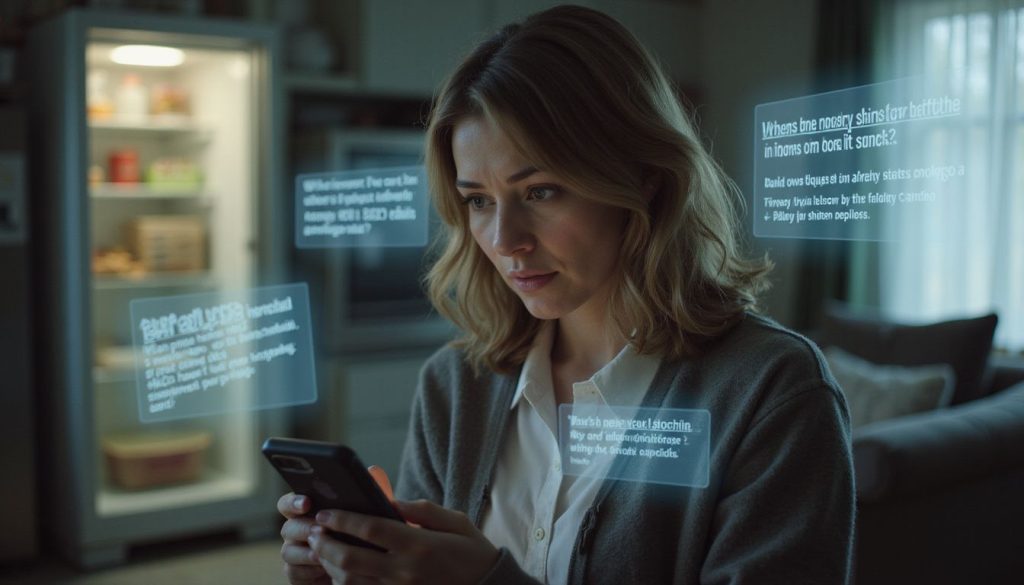
Have you ever typed your name into a search engine and found your home address in the search results? Many people do not know that their personal information, like addresses, can end up online without warning.
This problem puts your privacy at risk. It also makes it easier for strangers to find where you live.
One fact may surprise you. Many address exposures come from things you post or sign up for on the internet. Even small actions online can create a digital footprint that reveals private details about you.
In this guide, you will learn how your home address gets exposed and what steps to take for data removal and better online safety. Want to keep your personal information safe? Keep reading!
Key Takeaways
- Your home address can get online from social media posts, public records, or things you sign up for on websites.
- When your address is online, strangers can find you and use this information for bad reasons like identity theft or break-ins.
- To check if your address is exposed, search your name in search engines and people-search sites. Check your social media for location details too.
- You can remove your home address from many people-search sites by using their opt-out process and checking regularly for new listings.
- Use safe habits to protect personal details: get a P.O. Box, set strict privacy settings on social media, shred papers with personal info, keep software updated, and consider using professional help if needed.
Common Ways Your Address Gets Exposed on the Internet
Your home address can end up online in many ways. Social media is a big one. When you share photos or check in to places, your location might be public. Many people do not realize that their settings may allow anyone to see this information.
Another way your address gets exposed is through public records. These records can show where you live, especially if you own a home or have filed for a legal issue. Websites gather this data and make it easy for others to find your personal information, which raises risks of identity theft.
Many don’t know their data is out there until it’s too late.
Risks of Having Your Home Address Publicly Available

Having your home address online can lead to many risks. Anyone with internet access can find it. This makes it easy for strangers to locate you. You may face threats from unwanted visitors or even stalkers.
The risk increases if someone uses this information for bad purposes, like identity theft. A thief could look up your address and choose to break into your home when you are away.
Sharing personal information without knowing is a major problem today. Many people do not realize how much they expose themselves online. For example, if you post on social media about where you live, that information can spread quickly.
Even casual conversations on forums can give away details about your location. Keeping your home address private helps protect against these dangers and keeps you safe from prying eyes in the digital world of data security and privacy concerns.
How to Find Out If Your Address Is Online

Your home address might be online without you knowing. You can take steps to check if it is exposed.
- Search your name on popular search engines. Look for results that show your home address.
- Visit people-search websites. These sites can show your personal information, including your address.
- Check social media accounts. Sometimes, users share their location in posts or profiles.
- Use a data removal tool. Some tools help you see where your information is listed online.
- Look at public records online. These include real estate records and voter registration data.
- Ask friends or family to search for you online. They may find information that you missed.
- Review old documents and files that you shared online. A blog post or forum comment could link to your address.
Protecting your personal information is important for internet security and data protection.
Steps to Remove Your Address from People-Search Sites and Search Engines

Finding your home address online can feel unsettling. Taking steps to remove it is important for your safety.
- Search for your name on people-search sites like Whitepages or Spokeo. Check what information they show about you, including your address.
- Look for a “Remove” or “Opt-out” link on the site. Most of these sites give you a way to request removal of your information.
- Fill out the removal form with accurate details. Provide the information they ask for, such as your name and email address.
- Confirm the removal request through any required verification process. Some sites might send you an email to verify your identity.
- Repeat this process on each site where you found your information. It may take time, but removing multiple listings helps protect your personal data.
- Use search engines to check if other websites display your address. Google yourself regularly to find hidden listings.
- Stay aware of new listings in the future by keeping track of your online presence. Set reminders to check periodically, especially after major changes in life, like moving or changing jobs.
Taking these steps helps protect your personal information and enhances your online security against unwanted exposure and risks associated with having your home address publically available.
Best Practices to Protect Your Address and Personal Information Going Forward

You should take steps to keep your home address safe. Protecting your personal information is very important.
- Use a P.O. Box for mail instead of your home address. This way, you can keep your real address private.
- Avoid sharing personal details on social media. Check your privacy settings often and limit who can see your posts.
- Be careful when entering information on websites. Only share what is necessary and look for secure sites with https in the URL.
- Opt out of people-search websites. These sites collect and sell your info, including your address.
- Use two-factor authentication for online accounts. This adds an extra layer of security to protect your data from unauthorized access.
- Regularly check if your address is still online. Search for it often to see if it appears anywhere new.
- Shred documents that contain personal information before throwing them away. This helps prevent identity theft and misuse of data.
- Keep software updated on all devices you use. Updates often include important security fixes that help protect against threats.
- Consider using a VPN when browsing the internet, especially on public Wi-Fi networks, to keep your online activity private.
- Know how companies handle your information before giving it out; read their privacy policies carefully to understand their practices on data protection.
When to Use Professional Help for Data Removal and Ongoing Privacy

Professional help can be useful for data removal and ongoing privacy. Many websites collect your information without your consent. This includes sites that show your home address. If you find it challenging to remove this data, a professional can assist you.
Some services specialize in information protection. They know how to get your details off people-search sites quickly. Their expertise can save time and effort for those who struggle with the process on their own.
With growing risks of exposure online, using professional help might be smart for keeping your personal information safe from prying eyes.
FAQs
1. How does my home address end up online without me knowing?
Many people share personal details on social sites or shopping pages. This information sharing can cause your home address to appear online.
2. What is geolocation and how does it connect to my home address being public?
Geolocation uses data from your devices or posts to find where you live. When you use apps that track location, they may link this data with your content and show your address.
3. Can I remove my home address from the internet if I find it there?
Yes, you can request information removal or content removal from websites that display your details. Some sites have forms for these requests.
4. Why is it important to keep my home address private online?
Keeping your home address private helps protect against unwanted contact and theft. Careful control of information sharing lowers risks linked to having personal info on the internet.